How to Scan to PDF on iPhone: Notes, Files, and Drive
How to scan to PDF on iPhone with Notes, Files, and Drive.
Introduction to scanning PDFs on iPhone
If you need how to scan pdf on iphone, the iPhone built-in tools are usually enough. You can scan a page, save it in a PDF file format, and share it from the same screen. Most scans are ready in minutes.
This guide explains how to scan to pdf using three common iPhone scanning paths. You will also learn how do i scan to pdf with Notes, Files, and Google Drive. Along the way, you will see how to scan documents that stay readable.
Quality matters, especially if you want how to scan a pdf for text. A clean scan means easier copy and better search later. It also helps when you need to how to edit scan pdf document quality before sharing.
Quick checklist before you start
- Use bright, even light on the paper
- Keep the phone parallel to the page
- Fill the frame so edges are clear
- Avoid glare on glossy forms
Using the Notes app to scan PDFs
Notes is a simple answer for how to scan pdf with iphone. It uses your camera to scan, then saves the result as a PDF in your note. For many people, this is the fastest workflow for how do i scan to pdf.
Follow these steps for how to scan to pdf with the Notes app. This method also supports how to scan a pdf for text when the page is clear and not blurry.
- Open the Notes app and create a new note.
- Tap the camera icon, then choose Scan Documents.
- Hold the iPhone over the page until the scan frame locks on.
- Tap the shutter to capture the first page.
- Tap Add Page to keep scanning into the same PDF.
- Tap Save to store it as a PDF file format.
If you are wondering how to scan more than one page into a pdf, Notes is built for that. Keep your distance steady so the crop stays consistent. Also, move the paper slightly instead of moving the phone when you can.
Save and name your Notes scan
After saving, open the note and check the preview. Rename the note so you can find it later in mobile document management. A clear name saves time when you have many scans.
Use a short pattern like “receipt_2026_07” or “form_A”. If you scan for work, include a project name. It makes how to scan a pdf file into the right place much easier later.
Scanning PDFs with the Files app
The Files app is great when you care about where your scans go. If you are asking how do i scan a pdf file into a specific folder, Files helps you organize right away. This is a practical option for how to scan in pdf format with less clutter.
Use this workflow to how to scan pdf files and keep them in your chosen directory. It also supports how to convert scan to pdf in the sense that the scan ends as a PDF automatically.
- Open the Files app and go to the folder you want.
- Tap Scan in the toolbar, or find it under More.
- Select Scan Documents.
- Point the camera at the document and wait for edge detection.
- Tap the shutter, then choose Keep Scanning for more pages.
- Tap Save when you finish.
Before you save, verify each page crop and focus. If one page looks wrong, rescan it while you are still in the same session. That usually beats trying to fix it after export.
How to scan more than one page into a PDF
For multipage docs, keep the lighting the same across pages. If the page is tilted, the crop can shift. Keep the paper flat and move your body rather than twisting the phone.
Then review the thumbnail strip. Look for missing corners and softness. If you catch issues early, your final PDF stays consistent when shared.
Using Google Drive for PDF scanning
Google Drive works well when you want cloud storage for scans from the start. If you are looking for how to scan pdf on iphone with easy sharing, this method fits. It can also help if you prefer storing PDFs in one cloud folder.
Use these steps for how to scan in pdf from the Google Drive app. This is useful for mobile document management across devices.
- Open the Google Drive app on your iPhone.
- Tap + to create a new item.
- Choose Scan.
- Capture the first page and confirm the preview.
- Tap + or Add to include more pages.
- Finish the scan and save it to your Drive.
If you need how to scan to pdf quickly for sharing, Drive can be efficient. You can often send a link without hunting for the file later. It is also handy when collaborating with others.
Organize the scan after you save
After saving, move the PDF into the right Drive folder. Rename it if the default name is unclear. Then your team or you can find it faster.
Clear naming matters for searches too. It makes it easier when you come back later and need the right how do i scan a pdf file for a form or record.
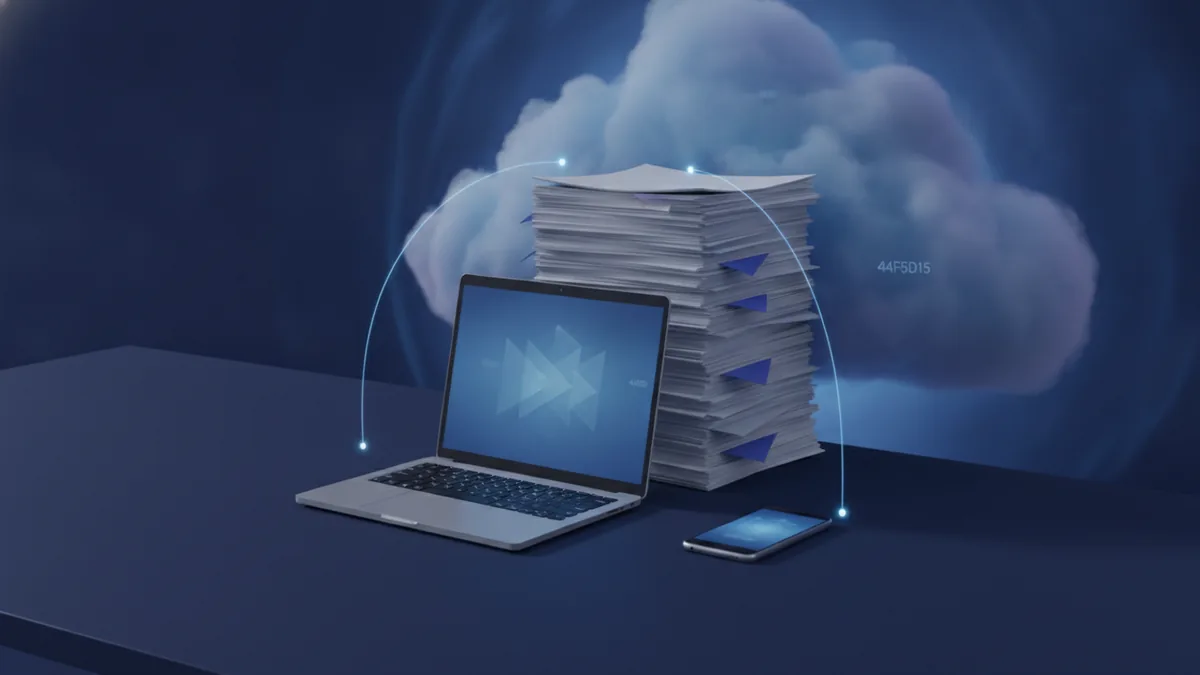
Third-party apps for scanning and organizing PDFs
Built-in tools cover most needs. Still, third-party apps can help when you want more control. If you want advanced options like stronger filters or better PDF tools, apps such as PDF Expert are common choices.
When you choose a third-party iPhone scanning app, check two things first. Look for reliable edge detection and stable multipage scanning. Then look for easy PDF editing after export.
What to expect from scanning apps
- Better image filters for contrast and background cleanup
- Manual crop controls when auto-detection fails
- Tools to reorder pages in one scan
- Faster export into PDF file format for sharing
These features can help you how to edit scan pdf document quality after creation. They also help when you scan documents that are not perfectly flat.
If your goal is how to scan a pdf for text, focus on clarity. Filters can help, but they cannot fix unreadable originals. For best results, re-scan if the text is blurred.
Editing scanned PDF documents (crop, filters, and clarity)
After scanning, you can improve readability and layout. This is where how to edit scan pdf document steps matter. Start by cropping out the background and keeping only the page.
Then adjust color or contrast. Many scan tools add filters like “document” or “black and white.” These changes can make printed text easier to read and easier to convert to searchable text.
If you need how to convert scan to pdf again later, remember that editing happens inside the PDF already. The scan is already a PDF file format. Editing just improves the pixels and page framing.
Simple improvements that work
| Issue you notice | What to do | Why it helps |
|---|---|---|
| Off-center crop | Crop to the page edges | Removes distractions |
| Low contrast text | Use a document filter | Makes letters clearer |
| Glare or haze | Increase contrast, reduce brightness | Improves legibility |
| Skewed page | Rotate and straighten | Helps readability |
For multipage PDFs, check each page. One weak page can hurt your ability to how to scan a pdf file for text. Fixing the worst page is usually more useful than changing everything.
Tips for effective scanning and safer handling
Good scanning is mostly about setup. Place the paper on a flat surface and avoid shadows from your hands. If you are using flash, keep it consistent across pages.
If you are concerned about security, you might ask can pdf have viruses. In general, a PDF can be part of malware delivery. The safer approach is to scan and share from trusted sources and keep your iPhone updated.
If you download a PDF from an unknown sender, avoid opening it immediately. Use safe handling and rely on your device security settings. This is not a scanning feature, but it reduces risk.
- Re-scan blurry pages before exporting
- Use bright light for better edge detection
- Keep page size consistent for easier reading
- Check zoom level before sharing the PDF
Finally, store your scans with a clear plan. Create a folder name scheme for receipts, forms, or IDs. Then your future self can quickly find how to scan a pdf on iphone results without digging.
Related reading
PDF Reading, Printing, and Page Flips
Read, print, or turn PDF pages like a book with these simple methods.
PDF to Word on MacBook: Methods and Formatting Tips
Choose the right Mac tool to turn PDFs into editable Word files.
Citing PDF Reports in APA Style: Format and Examples
Format APA citations for PDF reports, with examples for authors, report numbers, and URLs.