
How to Remove a Watermark From a PDF (Free and Paid)
Learn free, paid, and online ways to remove PDF watermarks—plus legal and layout risks.
Understanding PDF watermarks
A PDF watermark is visible or semi-visible text, shapes, or logos placed over a document page. It can be light gray, patterned, or high contrast. Many tools generate it during export from Word, Google Docs, or a design app.
Common uses include ownership marks, “confidential” labels, document tracking, and license reminders. You might also see watermarks added by banks, schools, legal teams, or internal workflows. Some watermarks are flattened into the PDF content, which changes how removal works.
Before you try anything, check what kind of watermark you have. If the watermark is part of the page content, you must edit the visual layers. If it is embedded as a selectable object, you may remove it with the right PDF editing workflow.
- Text watermarks: “CONFIDENTIAL,” names, or IDs across pages.
- Image watermarks: faded logos or stamps behind the text.
- Pattern watermarks: repeated icons or diagonal marks.

Why you might need to remove a watermark
People often ask “how can i remove watermark from pdf document” for practical reasons. For example, they may need to share the content with a client without a legacy “draft” label. Sometimes a watermark was added by mistake during a previous export.
Other times, you may need to reuse a document layout for printing or accessibility. A watermark can reduce contrast, which hurts readability for readers with low vision. It can also interfere with OCR, since the text over the watermark confuses extraction.
That said, a watermark can be there for a reason. It may indicate that a file is copyrighted, a preview, or a controlled distribution version. Watermark implications matter as soon as you consider removing it.
Free methods to remove watermarks
If you want to know how to remove watermark in pdf, start with tools that let you edit page visuals. The two most common paths are open source PDF editing and image-based editing. Which one fits depends on whether the watermark is selectable or baked into the page.
For many “draft” or lightly colored watermarks, you can convert the PDF to images and then restore the page. This approach uses visual reconstruction rather than true PDF layer deletion.
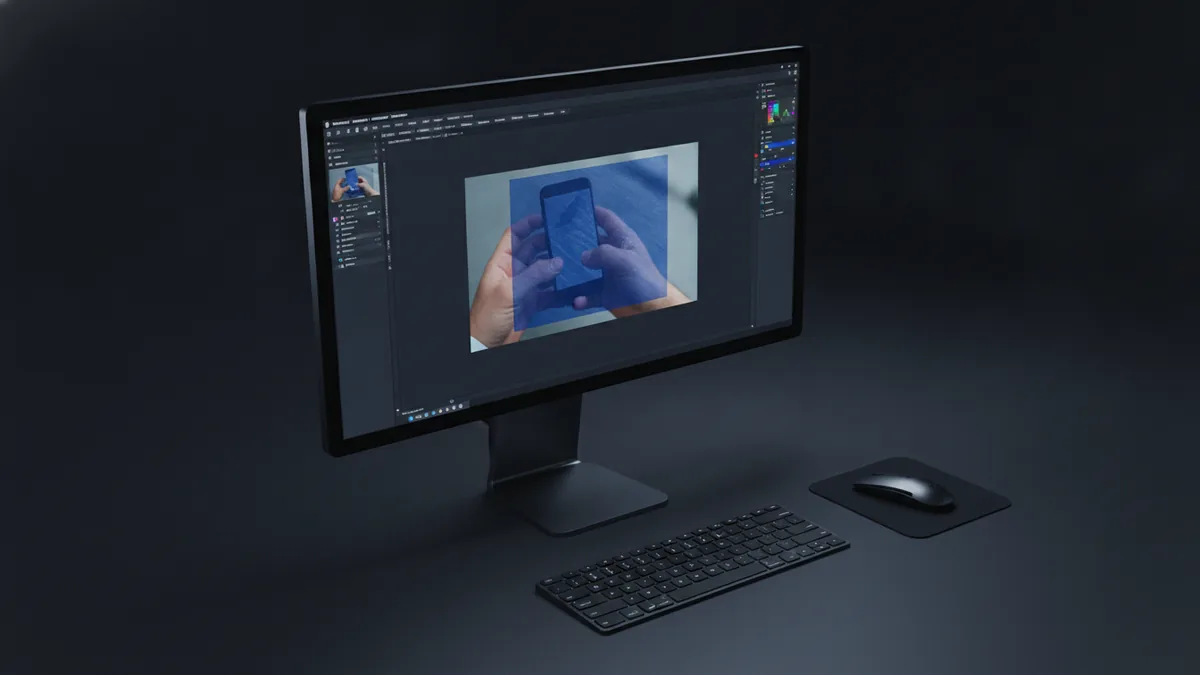
Method A: Use an open source editor like GIMP (image-based repair)
This method works well when the watermark sits on top of the content. You will redraw small areas and then recreate any hidden text using careful cleanup.
- Open the PDF in a converter that exports each page to PNG.
- In GIMP, open the PNG page.
- Select the watermark area using the lasso or rectangle select tool.
- Use the Heal or Clone tool to cover watermark lines.
- Zoom in and match the background and font strokes where the watermark passes.
- Repeat for each page, then export each edited page to PNG.
- Rebuild a PDF from the edited PNG pages.
Tip: Do small, overlapping edits. Large patches often produce blurry edges. Also keep consistent resolution so the restored page does not look soft.
Method B: Try a free PDF editor workflow (when watermark objects are removable)
Some PDFs store watermarks as text objects. In those cases, the watermark can be easier to remove than redrawing. You may find the watermark is a layer or an object group.
Look for features like “Edit text,” “Edit objects,” or “Redact” in free or open source PDF editing. If your free tool can’t separate the watermark from the rest of the page, you will fall back to the image-based approach.
When the watermark color matches the original background, object removal is tricky. When it clearly differs, editing tools sometimes let you delete only the watermark.
Paid software solutions
If you are looking for reliable professional PDF software, paid tools can be faster. They often support deeper PDF editing, OCR cleanup, and better control of objects. The trade-off is cost.
Many professional tools include a “redaction” style feature. That can remove content, but it may also block the area behind the watermark. If the watermark overlaps text, you might need to restore the covered content manually afterward.
Some paid editors also offer OCR and reflow options. That can help if the watermark reduces OCR quality. However, reflow can change document formatting, so verify spacing and line breaks.
| Tool type | What it can do | Common cost pattern |
|---|---|---|
| Professional PDF editor | Edit objects, rebuild text, and fine-tune layout | Subscription or one-time license |
| “Redaction” oriented tools | Remove visible marks by covering areas | Often priced per user or per seat |
| Workflow suites | OCR, batch edits, and export control | Higher tier subscription |
About specific brands: you may see guides mentioning “how to remove wondershare watermark from pdf” or similar titles. In practice, the method depends on the PDF’s structure. The safest way is to try the watermark removal feature inside that same product family, or use its editing tools to target the watermark layer.
Removing watermarks with online tools
If you prefer “how to remove watermark in pdf online,” you can find online PDF services that offer watermark removal. The main benefit is speed. You upload, process, and download the result.
But online PDF services come with security concerns. Your file may contain private data. Many sites delete files after a short time, but you should still treat uploads as sensitive. If the document is confidential, consider local software instead.
You should also watch file size limits. Many services cap uploads at 10–50 MB, and multi-page documents can exceed limits quickly. Compression can help, but it may reduce image sharpness, which matters when restoring text.
Step-by-step: a typical online workflow
- Choose an online PDF service that explicitly supports watermark removal or redaction.
- Check the privacy terms before uploading.
- Upload the PDF and wait for processing.
- Preview the output page-by-page.
- Download the edited PDF and compare it to the original.
- Fix any layout damage using a local editor.
Preview is not optional. Online watermark removal can blur the background or erase content underneath. If the watermark crosses a paragraph, the result can look like a smudged gap.

Best practices and considerations
Start with a layout-first plan. If you remove a watermark incorrectly, you can damage formatting, spacing, and alignment. That makes the document look edited, even when the watermark is gone.
To preserve document formatting after watermark removal, aim for consistent scale and font clarity. If you edit via images, keep the same export resolution. If you use a PDF editor, keep the same page dimensions and margins.
- Test on one page first: pick a representative page and check readability.
- Zoom in on edges: fix jagged lines caused by cloning or blur.
- Match background tone: restore gradients and paper texture carefully.
- Check OCR text: verify search works after any re-export.
Also, be honest about can you remove a watermark from a pdf without altering meaning. If the watermark covers text, you may not be able to reconstruct the original reliably. Even professional tools can leave artifacts.
Finally, consider watermark implications and legal risk. Removing a watermark from copyrighted or licensed documents may violate terms or copyright law. If you received the document with a usage restriction, ask the rights holder for an authorized copy instead.
For lower-risk cases, like your own drafts with incorrect branding, removal is usually fine. Still, keep the original file and track what changed. That helps if someone questions the document’s authenticity.
Conclusion
So, how to remove watermark in pdf depends on what the PDF contains and what you can legally do. For simple cases, free image-based editing with GIMP can work. For better results, paid PDF editing tools may target watermark objects more accurately.
If you want how to remove watermark in pdf online, online tools can be quick. Still, you must review security concerns and file size limits. Always preview and verify layout and readability after editing.
Before you invest time, do one small test page. Then decide whether to redraw, edit objects, or request a clean document from the source.
Related reading
Russian PDF Translation: Accuracy and Layout
Translate Russian PDFs while protecting meaning, layout, and sensitive details.

Android App Creation: Setup and PDF Steps
Build a starter Android app, then save its instructions as a useful PDF.

Create a PDF: Methods and Tips
Make a PDF from documents, photos, scans, or web pages on your device.