
How to Create a Downloadable PDF for Etsy
Plan, design, list, and market a polished PDF download on Etsy.

What a downloadable PDF does on Etsy
A downloadable PDF is a file buyers can access after purchasing your Etsy listing. It might be a planner, printable art, worksheet, recipe book, pattern, or guide. Buyers save it, view it on a device, or print it at home. The file delivers your product without shipping a physical item.
Start with one clear use for the buyer. A weekly meal planner, for example, should help someone plan meals and make a shopping list. Decide whether the buyer needs a print-ready page, a fillable form, or both. That choice affects your layout, tools, and export settings.
Digital products can save time on packing and postage, but buyers still need a smooth experience. Include clear instructions and name each file so its purpose is easy to spot. Test the final download on a computer and phone before listing it.
- Printable: Designed for paper, with suitable page size and margins.
- Fillable: Lets buyers type into fields using a PDF reader.
- Read-only: Meant for viewing on a screen, such as a short guide.

How to make a PDF buyers can use
Choose a tool that fits the product and your skill level. Canva offers templates and simple layout tools for planners and printables. Adobe Acrobat can help you edit PDFs and add form fields. You can also create the original pages in a word processor, then export them as a PDF.
Check that your tool can set page size, export clear images, and keep links working. For print products, make the page size plain in the listing, such as US Letter or A4. If buyers need both sizes, create separate files and label them clearly. Avoid promising that one page size fits every printer.
Build the product in a simple order. Draft the content first, then set the page size and margins. Add headings and visual elements, and keep key details away from the edges. Export a PDF and open it in a separate reader to check the result.
- Plan the product. List the pages, intended buyer, and main use.
- Set the page size. Choose a standard size that suits the audience.
- Lay out the pages. Use a clear type size and steady spacing.
- Export and inspect. Check every page, link, and form field.
- Make a test download. Open the file on another device before listing it.
Keep file size in mind, especially when pages use photos or detailed artwork. Compress large images before export, but zoom in to check that lines and small print stay sharp. Etsy's digital listing rules can change, so check the current Etsy help page for digital listings before upload. Its support team is the primary source for current listing steps and limits.
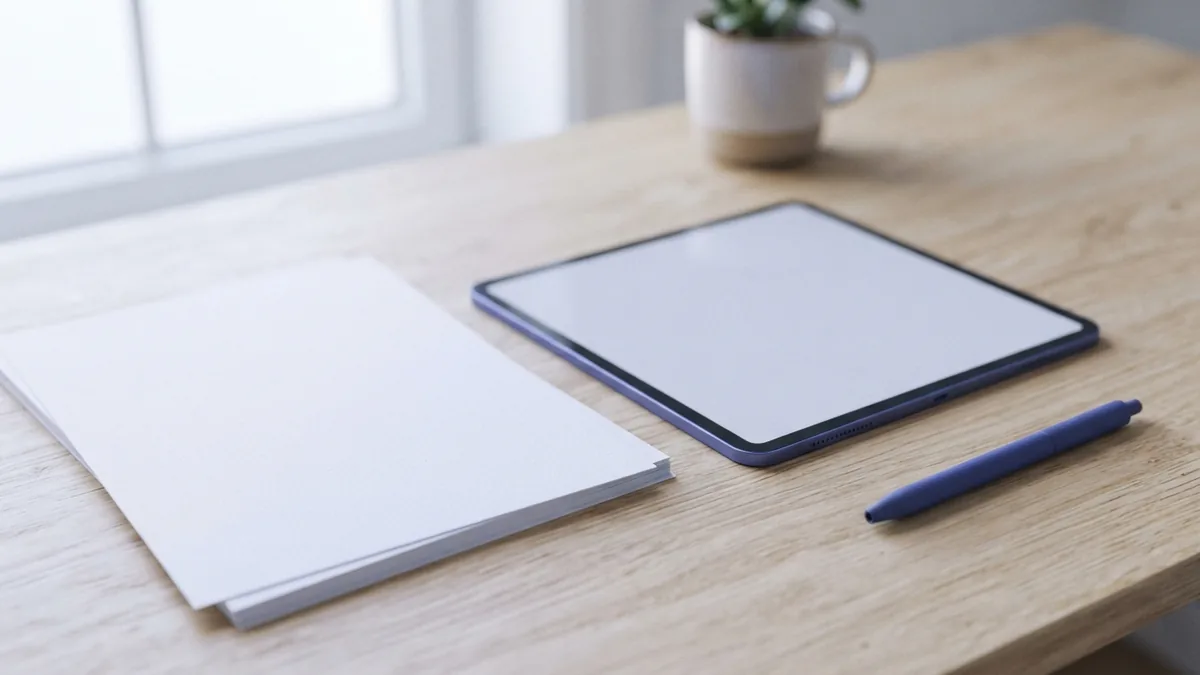
Design a PDF that feels clear and polished
A good printable works on screen and on paper. Use strong contrast between text and background, and keep body text large enough to read. Leave enough margin for common home printers, which may not print to the edge. Preview pages at actual size rather than judging them only on a zoomed screen.
Give each page a clear purpose. A planner page might have a space for the date, tasks, and notes. Use the same heading style and spacing throughout the file. A steady layout helps buyers learn the page quickly.
Limit decorative elements when they compete with the main task. Pale backgrounds can look elegant on screen, yet use more ink than plain white paper. Offer an ink-saving version when color is not essential. If you use fonts, images, or patterns from another creator, check their license for commercial use.
- Use readable type and keep body text consistent.
- Check contrast in both color and grayscale.
- Leave safe margins around page content.
- Use plain file names, such as “weekly-planner-us-letter.pdf.”
- Include a short instruction page when buyers may need help.
For a fillable PDF, test every field in a common PDF reader. Make sure the fields are large enough to tap or type into. State whether the file is intended for printing, digital use, or both.

Upload and sell your PDF on Etsy
Create a listing for a digital item, then follow Etsy's current prompts to add the file. Digital listings use files that buyers receive after purchase, so check every uploaded file before you publish. Etsy sets file and upload limits. Confirm the latest limits in its help pages instead of relying on old forum advice.
Use a clear title and explain what the buyer receives near the top of the description. Name the page sizes, file types, number of pages, and any software needs. State that the purchase is a digital download if no physical item will arrive. Clear details can prevent mistaken orders.
Show the product in the listing images. Use clean previews of sample pages, and make the page content large enough to assess. Do not include the full product in a preview if that would give away the paid file. Add a simple note on the listing image if buyers need help understanding what is included.
Before publishing, check the listing on a phone and desktop. Confirm the price, file names, description, and preview images. Keep a backup of the final PDFs and source files outside Etsy. If you update the product, make sure the uploaded copy matches the listing details.
- Upload the final PDF files and check their names.
- Describe exactly what each purchase includes.
- Use preview images that show the product clearly.
- Review Etsy's current rules and file limits before publishing.

Market your Etsy PDF product
Help the right buyer find the listing by using words they might search. Put the product type and main use in the title and description. For example, describe a dated weekly planner as a printable weekly planner, not simply a digital file. Use relevant Etsy tags and keep each phrase accurate.
Make listing photos answer common questions. Show a page preview, the available sizes, and what files are included. A close view can show how the layout works. Use a second image to explain printing or digital use, while keeping the actual product details easy to read.
Build trust with specific support details. Explain where buyers can find their download and how they can contact you if a file will not open. Reply to questions with clear steps, and update the listing if the same question comes up often. Helpful service can also lead to useful reviews.
Share the product through channels that fit its audience, such as a craft newsletter or social post with a sample page. Offer a free sample only if it helps buyers judge the product without replacing it. Track which listings earn views and sales, then test one change at a time. A new main image or clearer title can be easier to assess than many edits at once.
Creating a downloadable PDF for Etsy is a cycle of planning, testing, and improving. Make the file useful first, then present it clearly in the listing. Strong previews and helpful instructions make the purchase feel easier.
Related reading
How Do I Downsize a PDF? Easy Ways to Shrink It
Shrink PDFs with Mac tools, compression, or page splitting while keeping files clear.

How Do I Print to Adobe PDF?
Save files as PDFs with Acrobat, Windows, or Mac, and include comments when needed.
How Do I Delete a Page in a PDF?
Remove unwanted PDF pages and check the saved file before you share it.